
Level 56
HARDHow to solve Sand Loop level 56? Get instant solution for Sand Loop 56 with our step by step solution & video walkthrough. Sand Loop 56 tips and guide.
Play Sand Loop Now
Experience the puzzle challenge firsthand
Game Screenshots
Sand Loop Level Guides
Level 56 Master Guide: The Green Planet Challenge
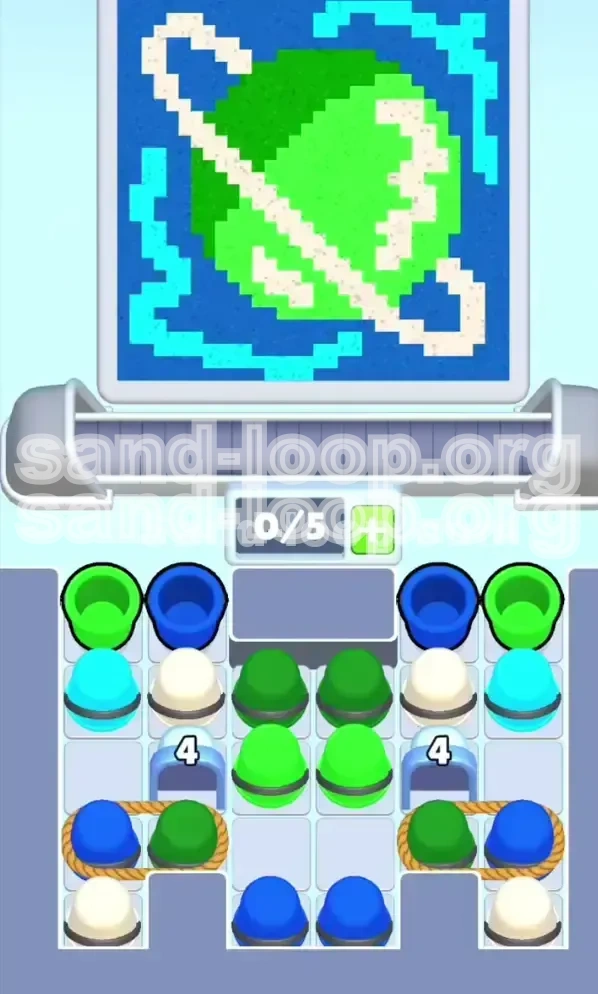
Visualizing the Target: "Cosmic Ring"
Before you tap a single cup, take ten seconds to analyze the pixel art structure on the top screen. This level depicts a Green Planet reminiscent of Saturn, set against a deep space background. The most critical feature is the White Ring that slices diagonally across the planet. Your success depends entirely on preserving this white boundary against the dominant green mass. If you pour green too aggressively, you will "bleed" color over the white ring, resulting in a lower score percentage.
The Mechanics: Roped Pairs & Capacity
This stage introduces a high-difficulty mechanic: Roped Cups. Located in the bottom corners, these are pairs of cups tied together with a rope. Tapping one pulls both onto the conveyor belt simultaneously. This creates a severe inventory management challenge because your conveyor slot limit is 5. Pulling a rope instantly consumes 2 slots (40% of your capacity). If you mismanage this, you will fill your belt with unusable colors, causing a deadlock where no new cups can spawn.
The "Layered" Logic System
Unlike previous levels where you might paint background-first, Level 56 requires a Depth-First Strategy. The game processes fills based on color dominance and layer order. The Green Planet is the base layer, the White Ring is the middle layer, and the Dark Blue background is the top layer. If you pour Dark Blue (the background color) before the Ring and Planet are 100% complete, you will contaminate the foreground pixels, forcing you to waste cups correcting the mistakes.
Victory Conditions
To secure the "Perfect" rating, you must achieve three specific goals: First, fill the Green Sphere to 100% coverage without spilling outside the zone. Second, ensure the White Ring is distinct and sharp—no green smears on the white pixels. Third, fill the Dark Blue background only after the foreground elements are solid. The Cyan swirls in the corners are low-priority accents that can be treated as filler while waiting for your main colors to cycle.
Strategic Color Order: The Priority Hierarchy
Phase 1: The Green Foundation (0% - 40%)
Your immediate priority is the Central Green Cluster. Do not touch the roped pairs yet. Look at the top center of the cup dispenser. You will see individual Green Cups that are not tied to anything. Tap these immediately. Your goal is to flood the conveyor belt with green to establish the base shape of the planet. Ignore the Cyan cups in the second row for now; they are distractions that waste valuable conveyor space.
Phase 2: The White Ring Defense (40% - 60%)
Once the green foundation is laid, you must immediately switch focus to the White Cups. These are located in the second row, often gated behind a number lock. The White Ring is the diagonal danger zone. You need to alternate Green and White cups rhythmically (Green-White-Green-White) to ensure the nozzle paints the ring definition sharply. If you pour three Greens in a row, you risk over-painting the ring. Maintain a tight 1:1 ratio during this phase.
Phase 3: The Cyan Accents (60% - 75%)
The Cyan Swirls are located in the corners of the image. They are isolated from the main planet, meaning they don't touch the Green or White pixels. You can process Cyan Cups whenever you have a spare slot on the conveyor or need to clear a jam in the dispenser. Do not go out of your way to hunt for these, but do not pour them onto the Green Planet. Treat them as a "palette cleanser" between heavy Green/White phases.
Phase 4: The Background Flood (75% - 100%)
The Dark Blue Cups are your finisher. This color represents the deep space background. Crucially, you must avoid tapping the Blue/Green roped pairs until the very end. When you do start pouring Blue, pour it aggressively to fill the remaining void. However, ensure the Green and White meters are fully satisfied. Once Blue touches a pixel, it is very hard to overlay Green on top of it later due to color blending mechanics.
Step-by-Step Walkthrough: Action Plan
Step 1: The Initial Green Burst
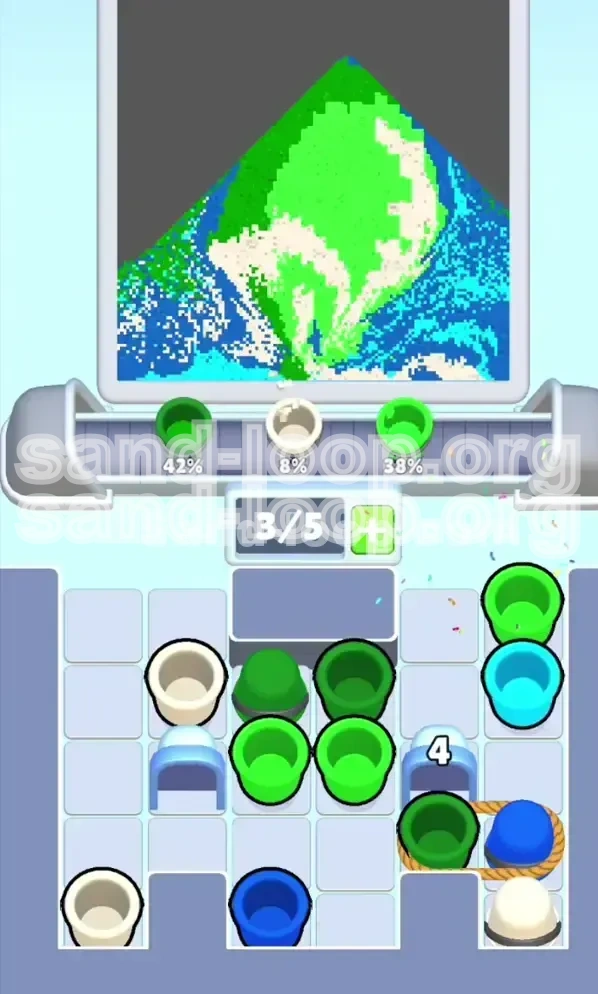
Start the level by immediately tapping the 3 Free Green Cups located at the top center. This will fill your conveyor belt to 3/5 capacity. Wait for the nozzle to pour these onto the canvas. Do not tap anything else yet. Watch the "4" counters on the blue gates decrease as these cups clear the board. This is the safest way to start; it builds your color percentage without risking a jam.
Step 2: Unlocking the Gates
You will notice a number "4" on the gates blocking the bottom Roped Pairs. To lower this counter, you must clear cups from the board. Continue tapping White and Green cups from the accessible rows. Avoid the Roped Pairs at the bottom corners until the gates fully slide open. Attempting to tap them early will waste your time or result in a "Slot Full" error. Patience here prevents a soft-lock later.
Step 3: The Roped Pair Injection (Critical Moment)
Once the gates open, you will see Blue + Green Roped Pairs. This is the most dangerous part of the level. Before you tap a rope, look at your conveyor slot count (displayed as X/5).
- If you have 3 or fewer cups: Tap the rope. Both Blue and Green will enter the belt.
- If you have 4 cups: STOP. Do not tap. Wait for a cup to pour.
When you pull the rope, you are forced to take a Blue cup (garbage) to get a Green cup (gold). Accept this trade, but do not pour the Blue cup yet.
Step 4: Managing the "Garbage" Blue Cups
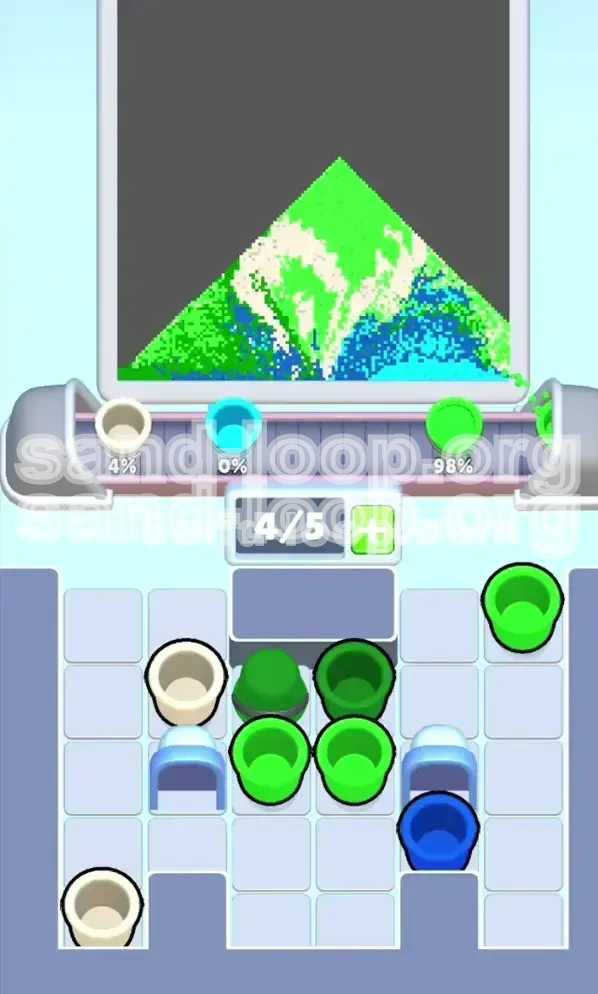
After pulling the Roped Pairs, you will have unwanted Dark Blue cups cycling on your conveyor belt. The Golden Rule: Lift your finger when the Blue cup is under the nozzle. Let it pass by untouched. Let it loop around the conveyor track. If you accidentally pour Blue now, you will ruin the contrast of the planet. Only pour the Green cups from these pairs. Your belt will look full, but as long as you don't pour the "garbage," you maintain flow control.
Step 5: The Cleanup Sprint
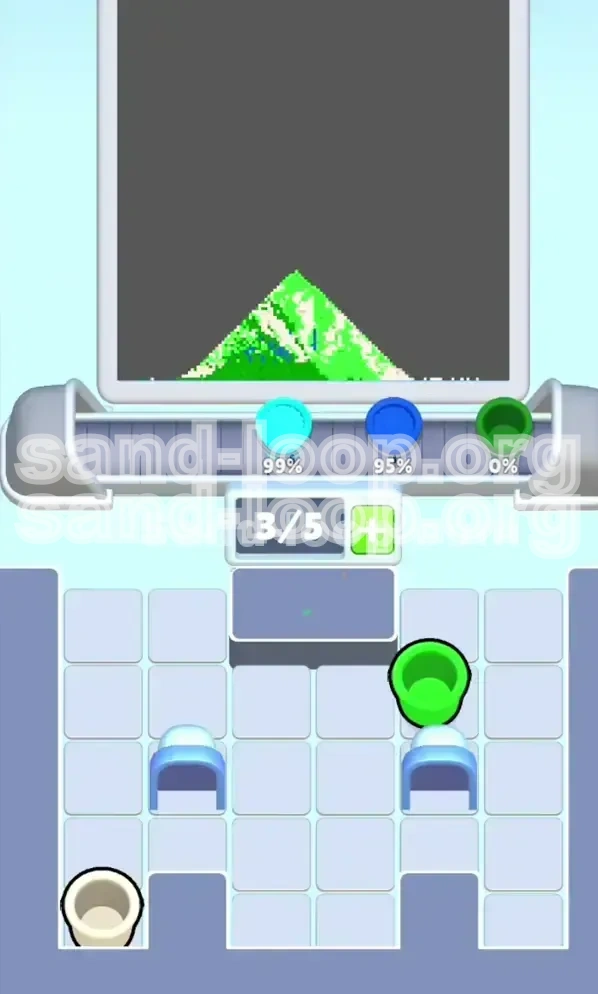
Once the Green Planet and White Ring are visually complete (check the top screen for missing pixels), you can finally release the backlog of Dark Blue Cups. You likely have 3 or 4 Blue cups looping on your belt from Step 4. Now, keep your finger held down to pour them all. Then, tap any remaining Blue cups in the top corners to finish the background. This final flood should push your score from 90% to 100%.
Common Mistakes & How to Avoid Them
Mistake 1: The "Slot Full" Deadlock
This is the most common failure state. Players tap a Roped Pair when they have 4/5 slots filled. The game attempts to add 2 cups but only has space for 1. The result is a jammed conveyor where nothing moves. The Fix: Always maintain a mental buffer. Never let your slot count exceed 3 if you are planning to pull a rope. If you see 4/5, wait 2 seconds for a pour to finish before tapping the corner.
Mistake 2: Pouring Blue Too Early
The Blue cups are tempting because they appear frequently in the roped pairs. However, pouring Blue before the Ring is white creates a muddy, low-contrast image. The Fix: Treat Blue cups as "radioactive" until the late game. Imagine they are hot. Let them cycle. Do not pour them until the top screen looks like a finished picture minus the background.
Mistake 3: Ignoring the Number Gates
Some players try to tap the bottom cups immediately, ignoring the "4" lock. This wastes valuable time. The Fix: Respect the gate mechanics. The game forces you to clear the top/center cups first. Use this time to build a solid Green foundation. Do not fight the game's intended flow; work with the gate logic to space out your cup usage.
Mistake 4: The "Smear" Effect
Holding your finger down for too long (Macro-tapping) causes the nozzle to pour continuously. If you do this over the boundary between the Green Planet and the White Ring, the colors will blur. The Fix: Use short, controlled taps (Micro-tapping) when dealing with the White Ring section. Pause between pours to let the pixel boundaries set.
Advanced Tips: Speed Running & Troubleshooting
Speed Run Strategy: The "Two-Tap" Pull
For experienced players looking to optimize time, you can use the "Two-Tap" Pull technique. When you have 2/5 slots empty, tap the Roped Pair, then immediately tap the next set of free Green cups. This times the arrival of the new Green cups exactly as the Roped Pair clears the nozzle, minimizing idle time. This rhythm requires practice but can shave 15% off your completion time.
Recovering from a Jam
If you accidentally fill your belt with the wrong colors (e.g., too many Blues), do not panic. Stop tapping completely. Watch the conveyor belt. Let the unwanted cups cycle past the nozzle without pouring them. As they circle back, the space behind them opens up, allowing you to tap new, needed colors (Green/White) from the top. It might take 10-15 seconds of waiting, but patience is the only way to recover a deadlocked board without restarting.
Visual Cues for 100% Completion
How do you know when to switch from Green/White to Blue? Look at the Cyan Swirls. These pixels are small and easy to miss. If the Cyan corners are filled, and the White Ring is a solid unbroken line across the planet, you are done with the foreground. Any pixel that isn't Green, White, or Cyan must be Blue. If you see "static" or noise on the planet edge, you need more Green. If the edge is smooth but the background is grey, you need Blue.
Maximizing "Perfect" Score Probability
The scoring algorithm in Sand Loop rewards precision over speed. To guarantee the "Perfect" bonus, focus on the edges of the planet. The center is forgiving, but the diagonal ring is strict. Ensure your nozzle passes directly over the center of the white ring pixels. If you are 1 pixel off, the game counts it as "Unpainted." Take the extra 2 seconds to align your pours perfectly for the White Ring section.